Fashion Model Says Beaterator's Coming to iPhone

here's a video trailers of a games on PSP Go


We break rumor without prejudice to the source, and this one comes from Vogue. Model Jacquetta Wheeler is friends with Sam Houser's wife, Anouchka, and during a visit, she says Sam showed Beaterator to her - on an iPhone.

Now, we already know that Beaterator, produced with Timbaland, is on the way to the PSP next month. Nobody said anything about iPhone, though. And don't ask me why I'm reading a friggin' Vogue fashion model blog, OK? But Wheeler seems awful certain that's the game and that's the platform on which she saw it. Verbatim, here's what she wrote back on Aug. 12:

iPhone Dev-Team Confirms Snow Leopard Support


The iPhone Dev-Team has confirmed that all its tools work well with Mac OS X Snow Leopard.

Snow Leopard, the OS released for Mac on Friday, poses no new wrinkles for the redsn0w jailbreak or ultrsn0w unlock.

You find a tutorial on how to jailbreak or unlock your iPhone (whichever it may be) using this guide.

Read More


Dungeon Hunter: A new role-playing game from Gameloft
Gameloft has just released a new theatrical trailer that introduces a new game you are working. It's called Dungeon Hunter, an Action RPG game that will be published soon in the AppStore:


One day, in an enchanted kingdom, all the inhabitants and the fairies of the kingdom came together to celebrate the union of the prince with his beloved. Later the princess died and the prince could not accept it, deciding to commit suicide.

In the realm utter chaos broke out and lost the balance between good and evil. The Devils began to devastate the men and there was only one way to restore the balance ..

Dev Team: Redsn0w can unlock the iPhone on Snow Leopard!

For those worried about not being able to run the Jailbreak your iPhone with the new operating system Snow Leopard, the Dev Team says that Redsn0w works perfectly.

Click the image to open in full size.

I wonder why Apple did not do anything... What do they have up their sleeves?

Vampires Live App - Spying on you?

Click the image to open in full size.

Vampires Live from the iPhone AppStore is currently number 23 on the AppStore free applications list.

A on-line game where you assume the role of a vampire, build your clan and gain experience.

Version tested: 1.5 (current as of writing)

Firstly I would like to say, "Immediately delete & report this application to Apple, then remove & delete all applications by Storm8 LLC."

Now that is out of the way, lets continue. This application has so many privacy issues and violations that I have already reported it to Apple and will create a permanent "Hall of Shame".

During use, the application tracks and reports:
- your mobile phone number (yes, you read that right)
- application version, number
- unique ID of your iPhone
- points (if applicable)
- iPhone model
- firmware versio
n

Not only does this occur once, but multiple times (half a dozen) during the course of utilising this application.

Gameloft Announces "Avatar" for iPhone and iPod Touch

Click the image to open in full size.

Ubisoft and Gameloft today announced the completion of official game dedicated to the film "Avatar." This is a way of fiction in 3D directed and produced by James Cameron. The film is set in the XXII century, on a planet called Pandora is very similar to Earth. Pandora is covered with rain forests with tall trees up to three hundred meters and inhabited by creatures of all kinds, including of humanoids called Na'Vi three meters tall and covered with a skin striped like tigers. The air is not breathable Pandora by humans, and so they have developed genetically a sort of hybrid between human and Na'Vi, or the 'avatar'.


So a human can control an avatar connecting their nervous system, the individual enters into a sort of coma, and through awareness can use the avatar as an extension of his body. The protagonist (Sam Worthington) is becoming more empathetic with the people of Na'Vi, invaded by humans, and eventually will have to choose which side they are.

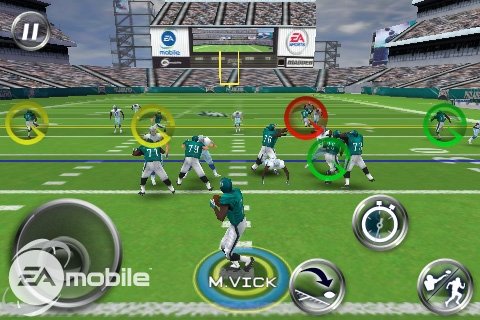
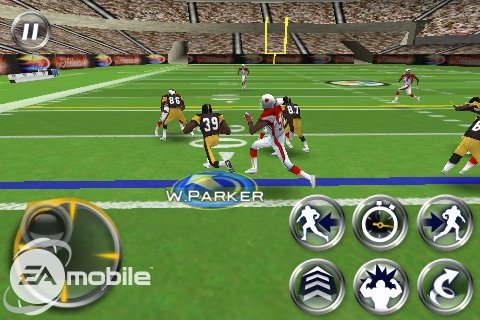
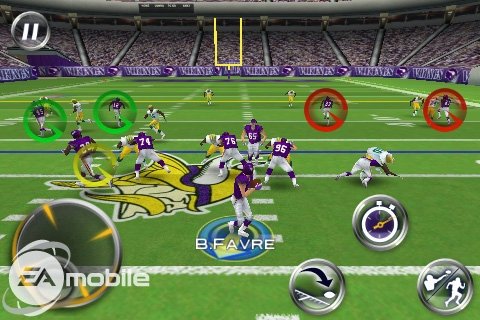
EA Mobile Details Madden NFL 10 for iPhone [Screenshots]


EAMobile has revealed details and posted screenshots of their upcoming Madden NFL 10 game for iPhone.

ACCEPT NO IMITATIONS - only EA SPORTS delivers the most authentic, hard-hitting experience in football, and we've got the history to back it up.

Combining the realistic action that Madden NFL fans expect with the mobile gameplay that allows anyone to pick-up and play - Madden NFL 10 brings the ultimate football experience to the App Store.


-----
TAKE IT TO THE GRIDIRON - Dominate the field with packed rosters of your favorite NFL players from all 32 licensed teams.

THE REAL DEAL - From Lambeau to Heinz, you'll be impressed by the detail throughout this game. Play in authentic stadiums against life-like players on real NFL teams.

CREATE YOUR OWN PLAY - Use touch controls to draw hot routes for passing plays, exclusive to Madden NFL 10.

ACTION CONTROL TIME - This cool feature lets you adjust the speed of your game whenever you want, giving you time to pick the best moves for each play.

SEASON MODE - Play a quick one-off game, or try the robust season mode, which features in-depth trades, stats and individual player rewards.

ASSEMBLE YOUR OWN TEAMS - Detailed roster management gives you full control over depth charts, cross-team trading, and access to huge free agent pools.

BROADCAST COMMENTARY - Hear the unmistakable voice of John Madden himself along with legendary announcers Tom Hammond and Cris Collinsworth.
-----

We'll let you know when Madden becomes available in the App Store. In the meanwhile check out some screenshots below...


Gameloft Posts Shrek Kart iPhone Trailer

Apple News
Shrek Kart is a tribute to Mario Kart Like many racing games from Gameloft is it controlled by motion sensor. Gas will be given automatically slowed down and brought to the turbo button. Here too is via WiFi or Bluetooth can compete against others and that on 15 different routes, one of which will be 3 arenas. September 2009 Gameloft known as the date for the title.

Take a look at the video below...

Read More


Movement App Organisation

Can't wait for iTunes 9? Well for those who own macs (10.5 and above, u're in luck!!). Here's a whole new way of organising your apps!! It's called Movement.
You can organise where your apps are on your springboard/homescreen on your jailbroken ipod touch or iphone.

Just connect your device, click “read apps” to get your current order, and then arrange them however you want and hit “write apps.” Then just wait, disconnect, reboot and admire your handiwork. You can also add and remove springboard pages from within the Movement app, by clicking the + and – signs – And it supports 5 dock icons, too!


download from here: http://movementapp.com/. have fun!!


Click the image to open in full size.

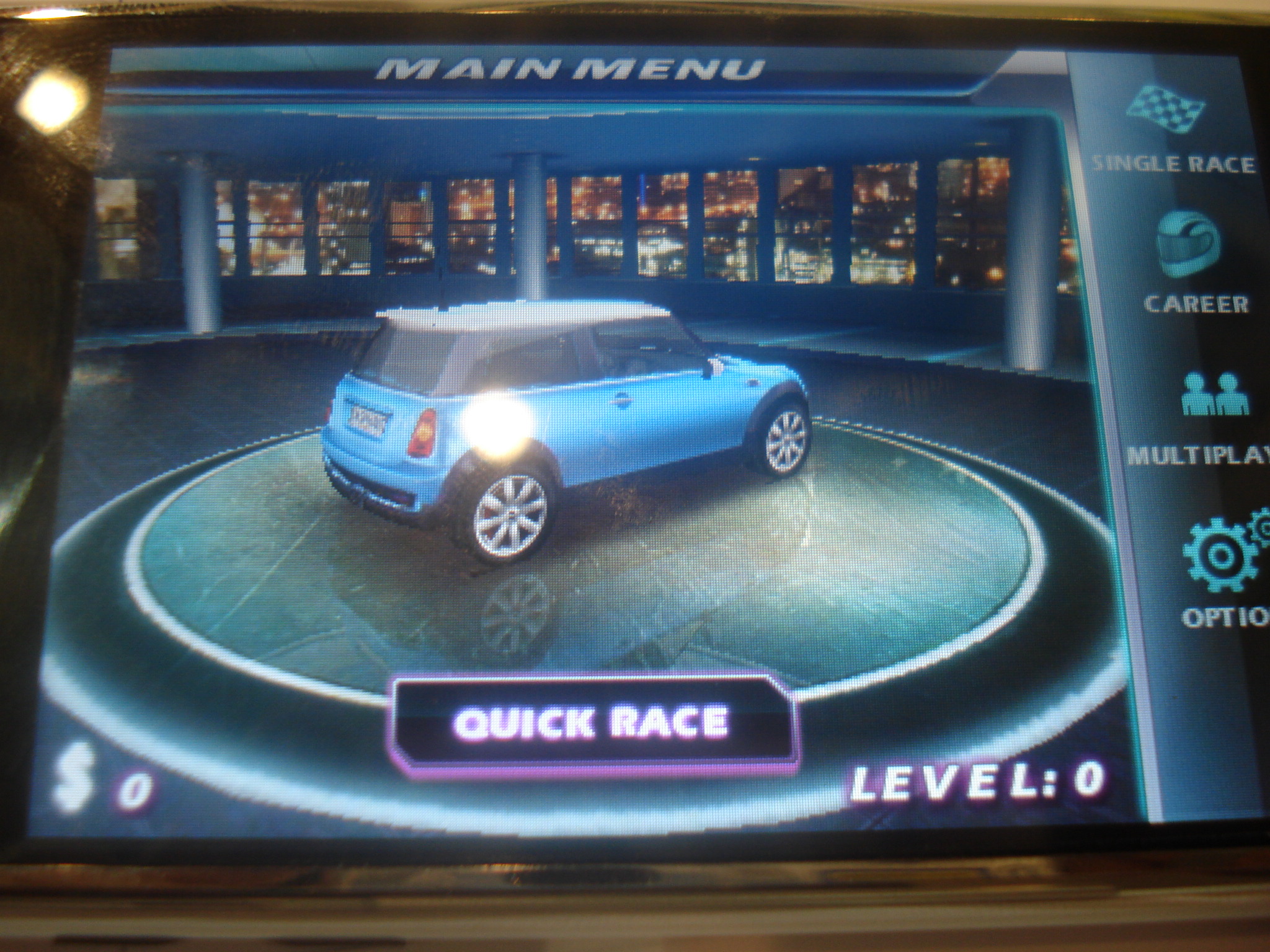
Preview Screenshots of Asphalt 5 for iPhone


Screenshots of the upcoming Asphalt 5 racing game for iPhone and iPod touch have been posted online by MacNotes.de.

The new version of Asphalt is expected to bring more tracks, cars, and Bluetooth multiplayer.

12 tracks and 33 licensed cars. Asphalt 5 will offer more of everything. The graphic is drilled, there are additional weather effects. I grabbed the Mini Cooper S and heated in Aspen along the route - of course I blew against the snow. The version showed no obvious defects, and will probably not have to wait too long for it. As mentioned in my First Look on iPhone for Gangstar repeated Brach, that asphalt would offer 5 additional DLC. Of particular interest will be in addition to the global rankings and the ability to not only against each other on the network but also act directly via Bluetooth.

The article also looks at some new titles coming in September from Gameloft such as: Shrek Kart, Earthworm Jim, and Modern Combat.

You can take a look at the screenshots below or hit the link for a Google Translated article.

Read More


Saurik Announces PrivaCy to Block iPhone Apps From Spying On You


Saurik has announced PrivaCy, a new iPhone app which blocks iPhone apps from watching you.

The application was created to address concerns about App Store applications which track usage information and even location information for developers to analyze. You can read Saurik's explaination below...

-----
It has recently come to the attention of angry Cydia users that they are being watched by many of the applications they have installed from the App Store.

Sites like I-phone-home have been discussing this in detail, leading to a post on the Dev-Team Blog about one provider in particular: Pinch Media.

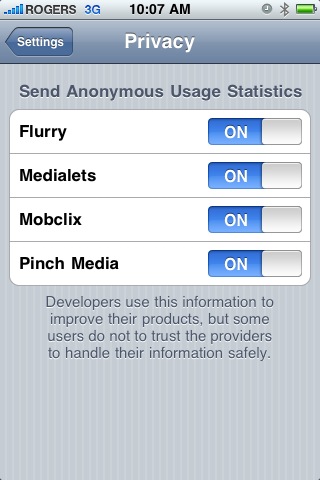
Pinch Media, however, is not the only tracking provider: on the iPhone alone there are three other companies: Flurry, Medialets, and Mobclix.

Developers integrate these systems for much the same reason people use Google Analytics: to better understand how their customers use their products.

Unfortunately, due to the restrictions Apple places on their App Store, these providers are unable to directly interface with the users they affect.

Instead, they rely on developers of every single application to document what information is being logged, and allow users to "opt-out" if they desire.

Thanks to applicatons like redsn0w and Cydia, however, these restrictions are no longer important: a system-wide global "opt-out" setting is now possible.

Pinch Media realized this fact, and took the lead in contacting me regarding getting this feature out there to all the users of jailbroken devices: they care.

With BigBoss, we then contacted all of the other providers, getting not only their blessing, but also their technical expertise in disabling their systems.

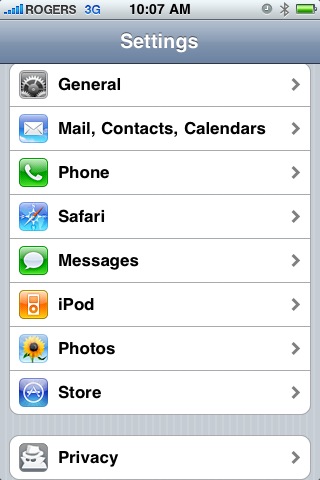
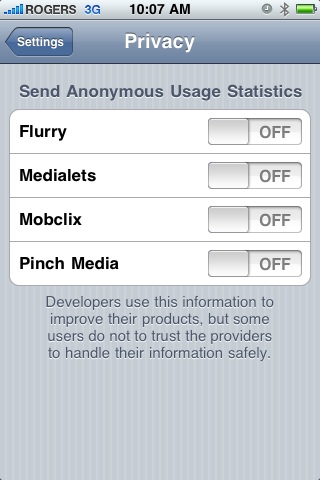
The result is PrivaCy: a new Settings panel that allows you to selectively opt-out of sending anonymous usage statistics to each of these providers.

This extension was a team effort, and was able to be executed as quickly as it was thanks to the help and interest of the companies involved.
-----

PrivaCy is available to install from the Cydia repository under the Administration section. It is a free download.


Apple Explores iPhone File Transfer During Calls


Apple has investigated the ability to transfer files from one person to another while on a call. This information comes from a new patent filing.

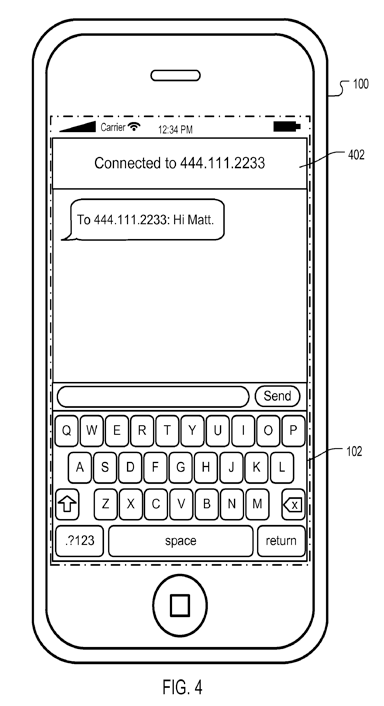
According to AppleInsider the patent filing contains descriptions for sending text messages, e-mails, contacts, documents and more to a caller while two phones have established a voice connection.

In the patent entitled, "Auto Messaging to Currently Connected Caller", Apple explains the current situation...

"While a user of a mobile device is using telephony services, the user may want to send a message or a file to another part. To send this information, the user may have to disconnect the call, and then perform a lookup of the caller's contact information prior to being able to send the message or file. This multi-step process can be tedious for the user."

Apple's solution involves a user interface that provides messaging capabilities while on a call. It would automatically detect the callers' details and send the information accordingly.

Read More


Fix Your iTunes Library


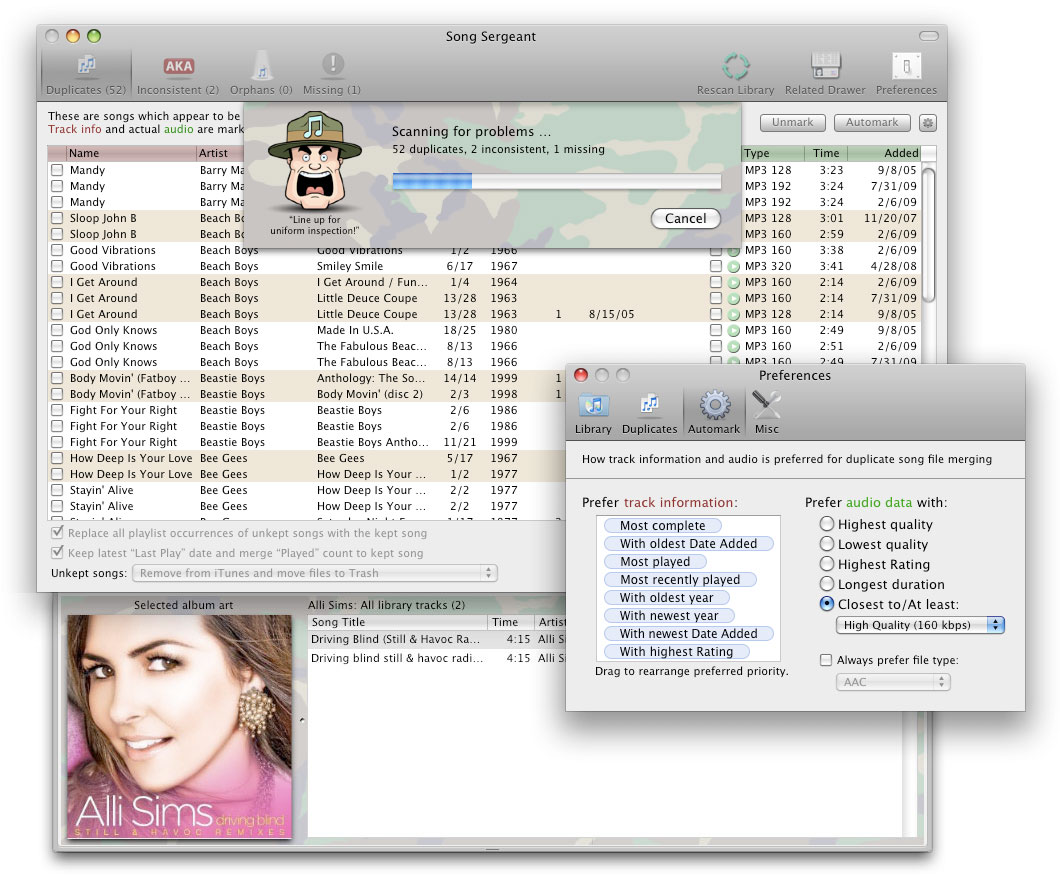
LairWare Software has introduced Song Sergeant, a powerful and easy to use application dedicated to fixing problems in an iTunes Library, such as intelligently resolving duplicates, fixing inconsistently named artists and albums, and coping with missing and orphaned song files. Song Sergeant is uniquely capable of merging song files together instead of just crudely deleting extras, letting you keep the best song information and best audio quality even if they're from different song files.

"We've noticed how most iTunes users (and iPod owners) have the same band, album, or song listed multiple times in their libraries, because of duplicate songs files or inconsistently named artists and albums," said Leon McNeill, LairWare's CEO. "These problems and others can be difficult to find and annoying to fix manually, so we came up with a solution to intelligently fix potentially thousands of issues in one's music library with minimal effort."

Among Song Sergeant's unique features, it will choose the best name from inconsistent artists and album titles, will carefully replace instances of unkept songs in playlists with the ones that are kept, preserves "Last Played" dates, and merges play counts. Sensible preset settings which will please most users, but power users can precisely control what is considered a duplicate and what song information and audio data to prefer, either by changing Song Sergeant's rules or by manually selecting what they want to keep. In addition, users can easily preview songs and browse through related track information and artwork in order to ensure that they're keeping exactly what they want in their libraries.

Pricing and Availability:
Available today, Song Sergeant 1.0 is $20 (USD) and includes free updates to all future 1.x versions.


Read More


iPhone 3GS Supports 720p, 1080p Video Playback?


WeiPhone is reporting that the iPhone 3GS is capable of playing back both 720p and 1080p video encoded in H.264 through the built in player.

iLounge notes that Apple may be putting arbitrary limits on video playback to save battery life keep things consistant with previous iPhones.

Using the free document storage and viewing application FileAid, forum member fridtear was able to circumvent Apple’s video restrictions, smoothly playing back files up to 30 Mbps in 1980x1080 resolution via the iPhone 3GS’ built-in video player.

Its possible that Apple may be saving this feature for a supposed firmware upgrade or possibly even for the next iPhone HD.

News of this capability was rumored in April along with a new Apple AV Cable to allow for both component and composite on the same cable.

Read More


How To Jailbreak Your Iphone 3G 3.0.x Windows


These are instructions on how to jailbreak your iPhone 3G on the 3.0.x iPhone firmware using RedSn0w for Windows. The Mac version of this tutorial is here. The 2G version of this tutorial is here

This tutorial can be used to jailbreak before applying the UltraSn0w unlock.

** If you would like to jailbreak on the 3.0.1 firmware you can follow these exact instructions; however, in Step Two restore using this 3.0.1 iPhone firmware file instead of the 3.0 one. Continue with the instructions as indicated.**

Watch the Video!
For your convenience this tutorial is available in video format also. Click the Watch It button to view the tutorial!


Step One
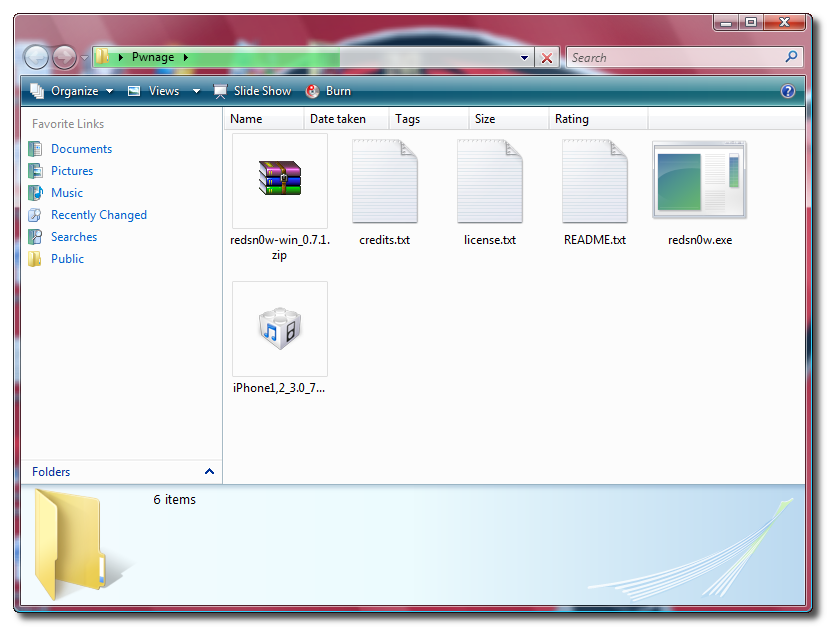
Create a folder on your desktop called Pwnage

Download RedSn0wfrom here or here and place it in the Pwnage folder. Likewise, download the latest 3.0 firmware from below and place it in the same folder.

3.0.0 (3G): iPhone1,2_3.0_7A341_Restore.ipsw

Extract the RedSn0w zip file to the Pwnage folder.


Step Two
Connect your iPhone to the computer and launch iTunes.


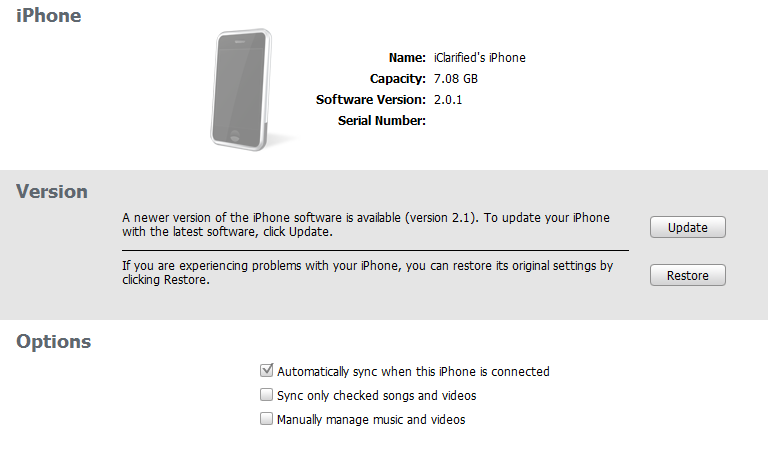
Select your iPhone from the list of devices on the left. Now hold down shift and click the Restore button. Restore is preferred as it won't create any wasted space on your iPhone.


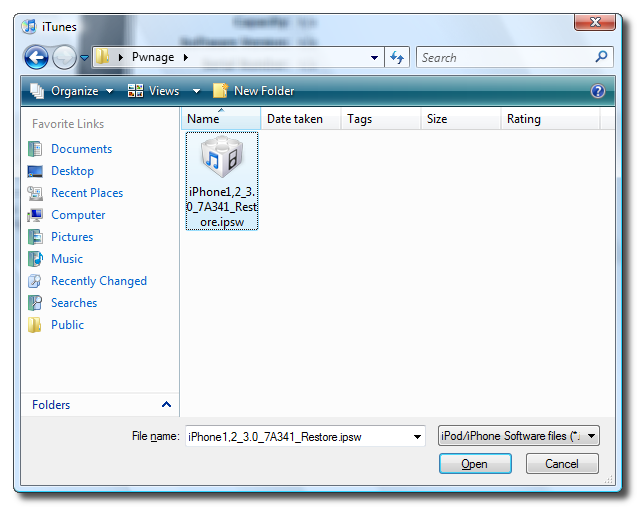
Navigate to the Pwnage folder on your desktop and select the firmware ipsw. Click the Open button to continue.


Step Three
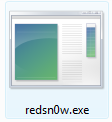
Once iTunes has finished updating your iPhone to the desired firmware you may launch redsnw0w.exe from the Pwnage folder on your desktop.


Step Four
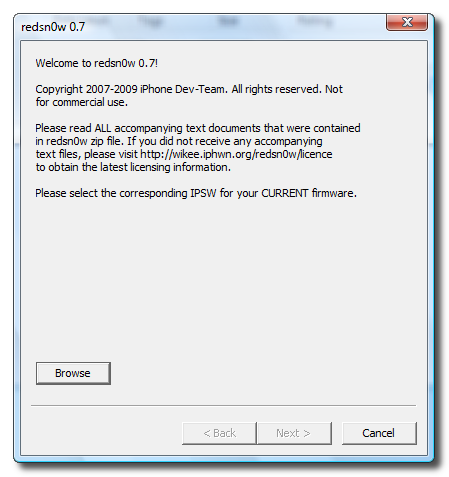
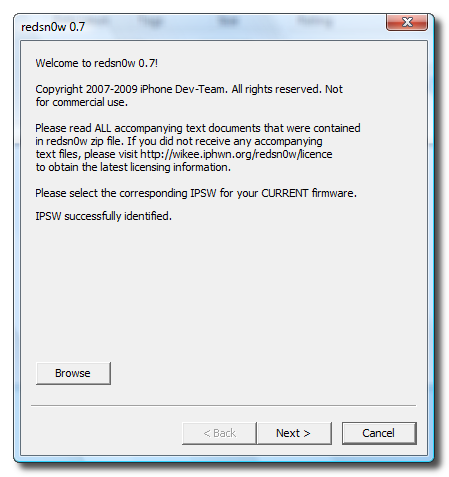
Once RedSn0w opens click the Browse button


Step Five
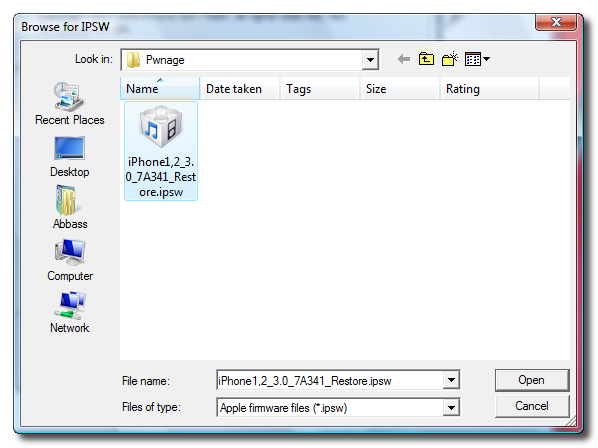
Select the firmware ipsw we placed in the Pwnage folder on our desktop then click Open


Step Six
Once the firmware has been verified click the Next button to continue.


Step Seven
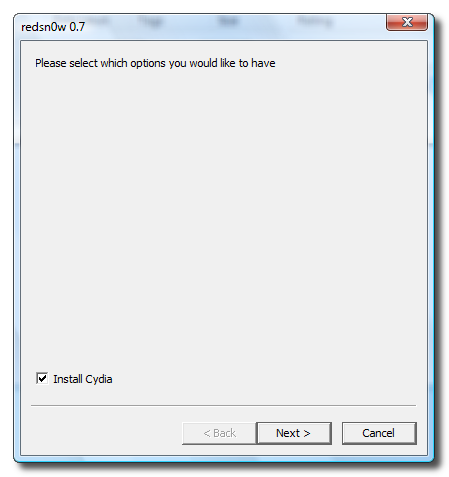
Make sure Cydia is selected and click the Next button.


Step Eight
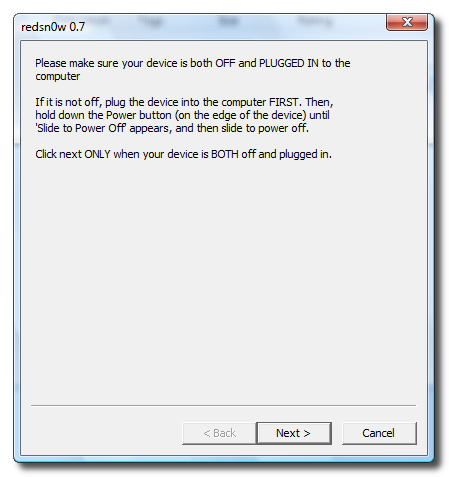
Please plug your iPhone into the computer and make sure its OFF then click the Next button


Step Nine
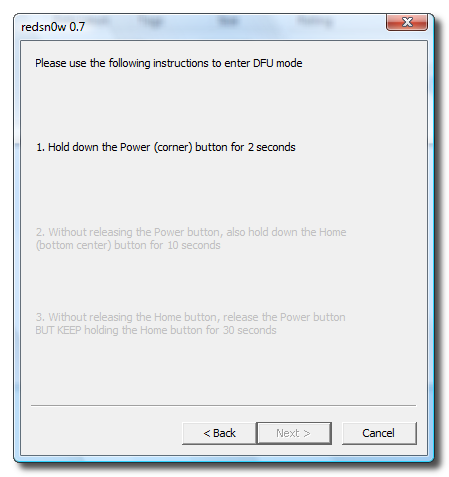
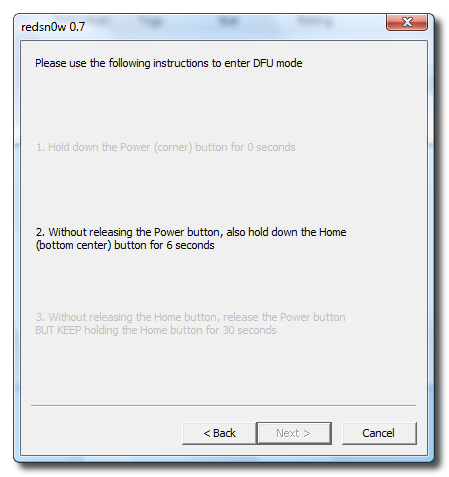
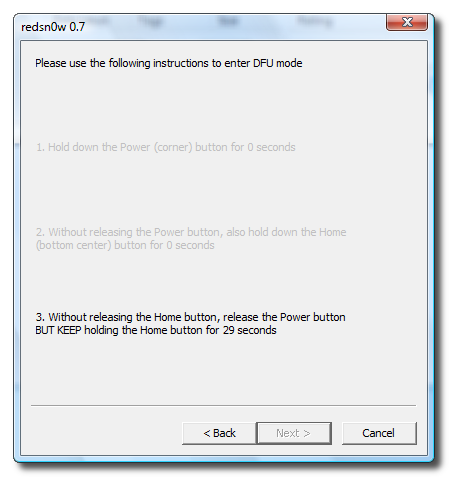
RedSn0w will now guide you through the steps to get into DFU mode.


Hold down both the Home button and the Power button for 10 seconds.


Release the Power button and continue holding the Home button until RedSn0w detects the device.


Step Ten
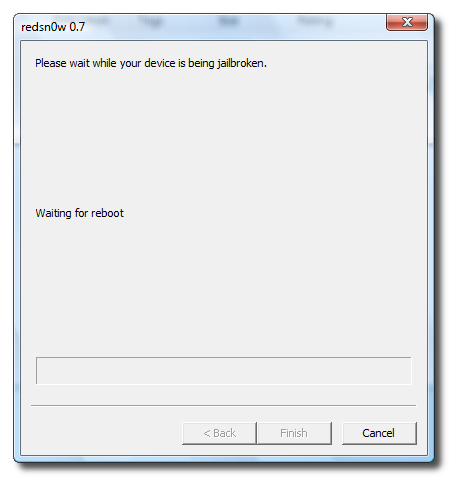
Your iPhone will now reboot


Step Eleven
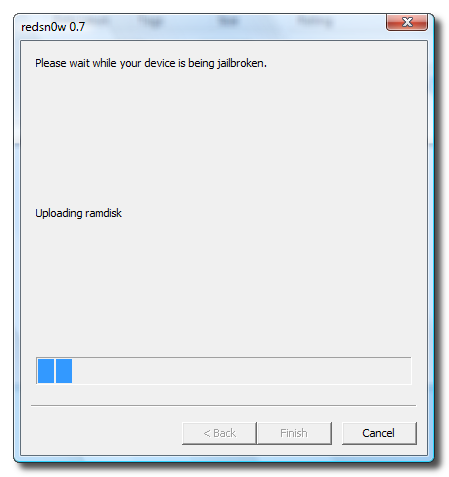
RedSn0w will then begin uploading the new RAM Disk.


Step Twelve
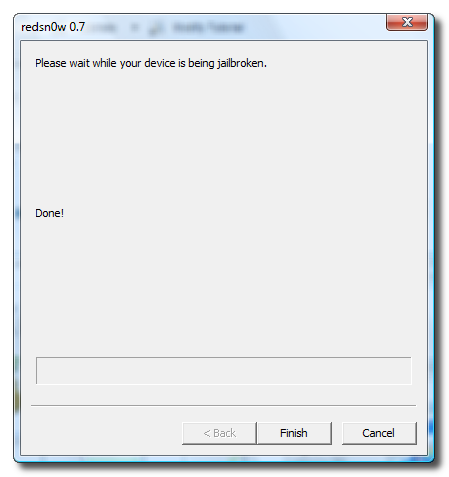
Once this is complete you will be notified that RedSn0w is done. Click the Finish button.
When your iPhone finishes reboot (5 minutes or so). It will be jailbroken with Cydia on the SpringBoard.


If this tutorial needs to be updated please let us know here


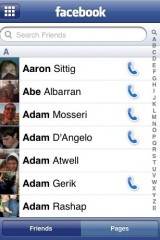
Facebook 3.0 are the first screenshots of the application in action

As promised a few days ago, developer Joe Hewitt of Facebook for iPhone keeps his promise to release today new screenshots of its new application for iPhone and iPod Touch. Please note that the new update will be free from those fastidiosissimi current version of the bug and will have many more new features that make it truly complete and almost perfect.

Click the image to open in full size. Click the image to open in full size. Click the image to open in full size.


As you can see is the "I like" that allows you to "vote" link, a comment, an image or update published by the friends in our list. It will be possible to also add bookmarks to friends in their profile have always at hand. We may also call the friends opening a kind of "Address Book" in the Assembly.

Click the image to open in full size. Click the image to open in full size. Click the image to open in full size. Click the image to open in full size.

Please note that Facebook 3.0 has already been sent to Apple and should be approved shortly. As soon as there will be new, as our usual, be warned via a new article.

 
 iPhone © 2012 | Designed by LogosDatabase.com, in collaboration with Credit Card Machines, Corporate Headquarters and Motivational Quotes