
Gameloft's Shooter 'Siberian Strike' Lands in the App Store


siberian_strike_title

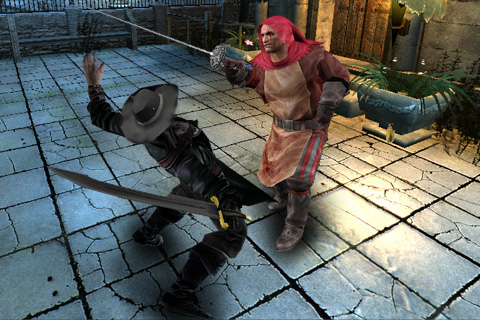
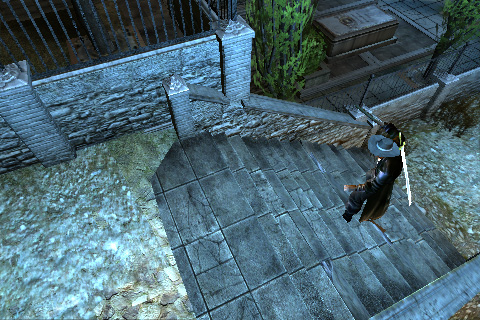
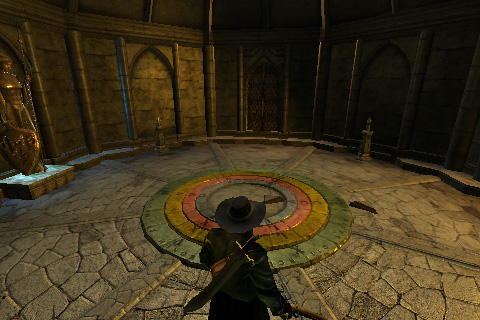
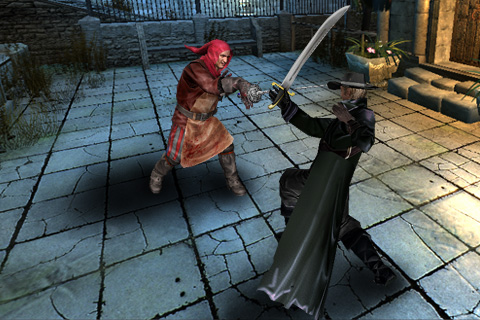
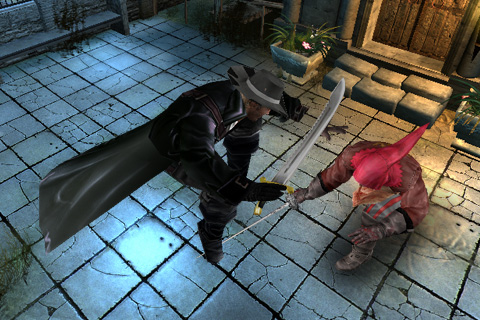
Last week Touch Arcade visited Gameloft's Manhattan offices to preview a few new titles, one of which was the iPhone version of the mobile top-down airplane shooter Siberian Strike. Today, the game landed in the App Store and is available for download at a price of $5.99 [link].

When you fly at the speed of sound, you have to think at the speed of light… Discover the fastest-paced shoot'em up with hours of aerial action and fun!

1940s. You are Elliott Freeman and your mission is to track and destroy an evil soviet cyborg that is threatening to invade Europe.

Features as listed by Gameloft:

  • Fast-paced action, intense combat and 4 difficulty levels to keep you constantly challenged
  • Unique gameplay mixing shooting and insane piloting missions that test your dexterity
  • Choice between Accelerometer and Touch controls that let you steer and target enemies like a real pilot
  • Join your friends in frenetic local Wi-Fi Multiplayer to experience a crazy adventure
  • Gigantic boss fights and memorable moments with immersive 3D animations
  • 12 amazing levels to explore across varied environments: Canyons, secret bases, tunnels, and more!

siberian_strike_2_screens

While I only spent a short while with the title at Gameloft, I found the overall flow of the onscreen action to make for a great shooter experience with a real arcade feel. Siberian Strike impressed me as one of the best shooters I've encountered for the iPhone.

We will be posting a much closer look, with video, shortly.

App Store Link: Siberian Strike, $5.99

EA's 'Tiger Woods PGA Tour' Arrives in App Store

tw1

EA's Tiger Woods PGA Tour has finally arrived in the App Store [link].

Features of the game include:

  • Touch and drag to engage the Swing Meter
  • Swipe your screen to activate the Ball Spin
  • Golf through 7 of the most famous courses in the world
  • Play as or against Tiger Woods and challenge 4 other PGA Tour golfers
  • Enjoy 3D graphics, realistic sound, and moving environments
  • Personalize your User Profile and customize your very own golfer
  • Record and track your game statistics
tw3


App Store Link: Tiger Woods PGA Tour, $9.99
Screenshots of Chillingo's Upcoming (3D Action Fighter?) 'Vampire Origins'

vampire origin screen

This weekend Chillingo released the first screenshots of their upcoming 3D iPhone game called Vampire Origins. While it appears to be an action fighter / RPG in the spirit of Devil May Cry, all other details are extremely scarce.

Chillingo did, however, confirm with us that the game is not related in any way to their iDracula [App Store] title which was developed by More Games. No release date has been provided.

Have a look at the rest of the gameplay gallery (click thumbnails to view larger):

Additional screenshots can be seen in our When we have further details on this upcoming title, you'll be the first to know.

EA Brings 2.5D Platformer 'Pandemonium' to the iPhone

Pandemonium title

Electronic Arts has brought the 1996 PC / Playstation / Saturn Eidos title Pandemonium! [App Store] to the iPhone and iPod touch.

Originally published by Crystal Dynamics, Pandemonium is a run, jump, shoot, and stomp platformer that is best described as "2.5D", in that, while the graphics are fully 3D rendered, gameplay takes place along a 2D plane. It feels something akin to Crash Bandicoot meets NiGHTS Into Dreams.

See our gameplay video (taken on a 2G iPod touch) for a look at the first few worlds.


DownLoad it From here

http://www.appscene.org/download.php?id=488355724

A new-style game 'Tower Defense'


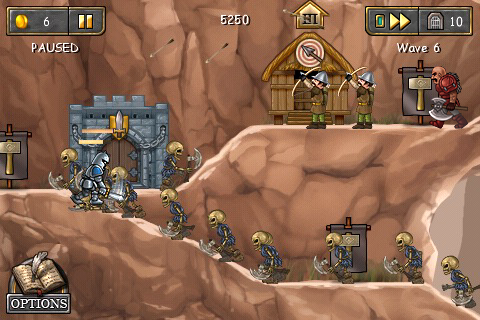
Good news for those who like the style of game 'Tower Defense' to Gimka Entertainment, Inc with Menara Games are developing a new game for iPhone and iPod touch is the Defender Chronicles, the game looks promising and has several diversifications, different from other games of that style. Confira aqui o primeiro trailer do jogo: Check here the first trailer of the game:


The expected launch of the game is for the beginning of May and will cost around $ 4.99.

iTunes 8.2 Adds Blu-Ray Support?

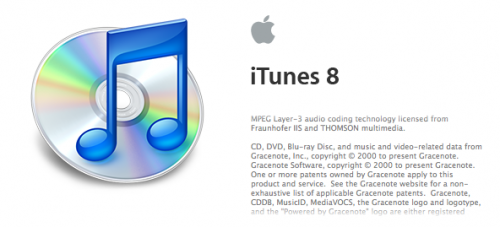
Apple has seeded a new version of iTunes to developers which m
ay include Blu-Ray support.

A MacRumors forum poster noticed that the about screen for iTunes 8.2 includes references to Blu-Ray data from Gracenote, suggesting that iTunes could support the reading/recognizing of Blu-Ray discs.


Apple released the firmware 3.0 Beta 4

Has just released a new version of firmware 3.0, this is the fourth update since its announcement on 18 March 2009.

Along with the firmware 3.0 Beta 4, has an update to iTunes (Pre-release) and also won an SDK update. Who's developer and is registered in the program from Apple can now download the files.

This time who do not have the new iTunes (Pre-release) (which was only released to registered developers), will not install the new Beta.

Released trailer of the new game from Gameloft

Terminator Salvation will be released in the first week of May, and its price will be between $ 7.99 and $ 9.99.

Excellent graphics and gameplay of creepy

New images of Glu Mobile's game "Police and Thieves" - Video

The life of these young thieves is not easy in this game, you and your roommate can be arrested for failing to pay the rent. A "solução"? The "solution"? Entrar para a vida de crime e viver fugindo da polícia. Come to live lives of crime and fleeing police.

For the month of May/2009


Touch KO Trailer

The programmer Mechtley Matt, is a strong working this week during the past two months in a boxing game for the iPhone and iPod Touch done in 3D.


The game lets you create your own fighter and your progress comes from a career in the world struggles to become a world champion! The controls make use of the device's accelerometer to dodge to the side, and touch-screen to perform different movements (strokes) with each hand individually.


New images of neeed for Speed Undercover

The EA Mobile has released some more images from your game to the public, we can smell it in the game Need for Speed Undercover in the Apple orchard.


The Fabiano's site iSpazio made a beautiful observation of the landscape game, is playing as you can notice the change in the day, the sky gets darker and the surpluses will disappear. This takes all for the launch is not guarding a Taco Bell can bet on a game with graphics, gameplay and fun guaranteed.
Anyone could guess how much one will cost the game? $ 9.99 -

Knights Onrush Video Preview


Keep an eye out when this game, which I think it will be nice, he is defending a castle.

It is being produced by the same creators of iDracula and Orions, the graphics I saw in the video are very well done, hopefully leaving soon.

The goal of the game will be defending your castle from enemies who want it invaded, and the style Fildrunners.

When we have more news, we are posting here for you!

Firmware 3.0 Preview: YouTube

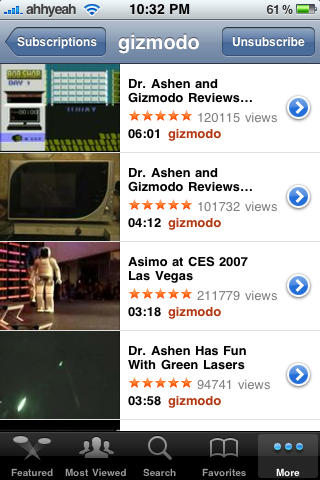
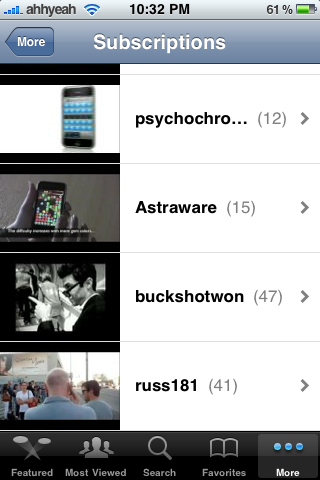
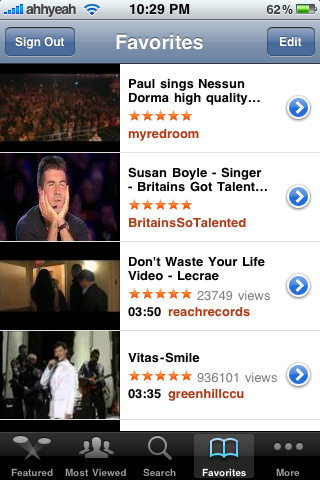
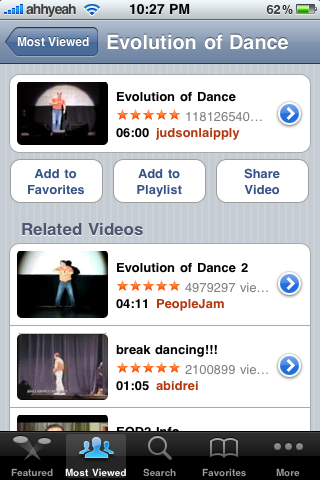
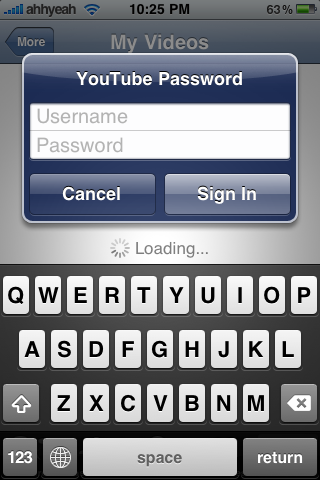
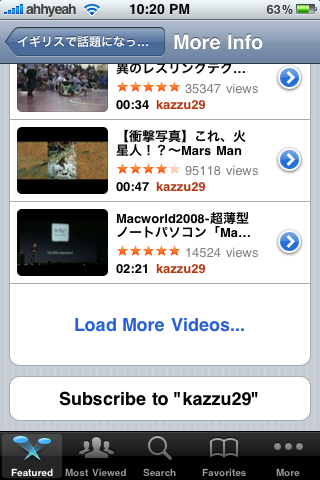
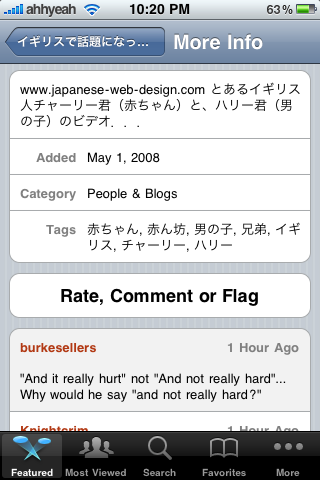
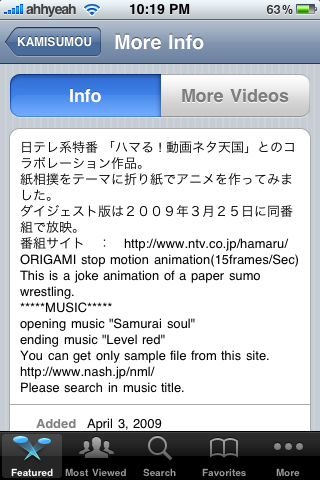
A lot of people have been having trouble getting YouTube to work during the Beta process of the iPhone 3.0 firmware. With the 3rd beta, most have claimed it works again. Now that it does, we can show you what’s new so far. First, when seeing the details of a video, the info isn’t displayed right under the video thumbnail any more. You must tap the blue arrow which will bring you to a screen with two options, Info or More Videos. These tabs have a lot more features than before like rating, commenting and flagging videos. You can also see all the other comments on the video which you couldn’t do before. The More Video tab shows you more videos by the same user and the option to subscribe to that users videos.

When viewing lists of videos, such as the Most Viewed tab, the title of videos is now allowed two lines of text instead of one. Also, the Bookmarks tab is gone. It is no longer needed now that you can log in and access your subscriptions, playlists and favorites. Overall the app seemed a bit faster along with the new features. Now we just need the ability to record videos from our iPhone and send them right to YouTube!


Screenshots :


Firmware 3.0 Preview: Photos

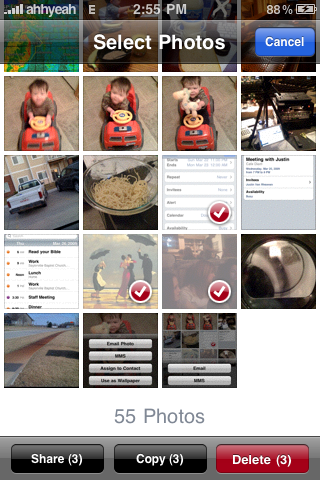
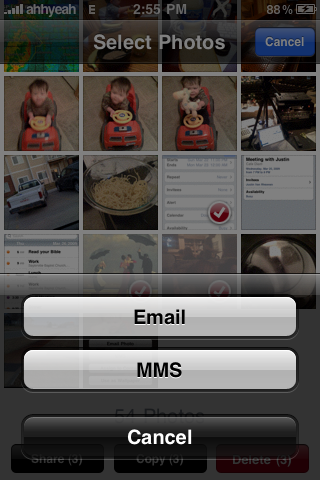
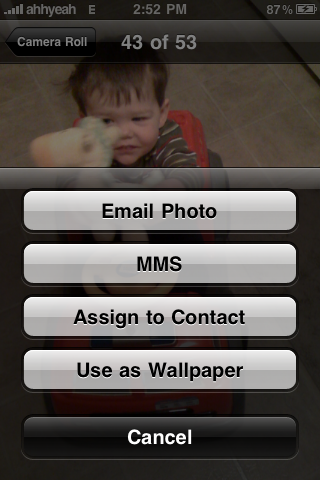
The Photos application’s new features mainly have to do with the way photos are shared. You can now of course send photos via MMS. Just select the photo you want and tap the little arrow in the bottom right and it gives you the option to send via MMS. Another great added feature is the option to send more than one photo via MMS or email. To do this go to one of your albums and tap the arrow again in the bottom left corner. This now gives you three options at the bottom. Share, copy, and delete. If you tap share you get the option to send via email or MMS. You can also open your email and paste the photos into an existing email, draft, reply or new email.
Screenshots :


Firmware 3.0 Preview: Camera

I really, really wish Apple would have fixed one thing with the Camera app. Make the whole screen the button to take the picture. Then, when you’re taking a self portrait, you don’t have to find the button. The new features are all pretty small compared to other firmware 3.0 features but nice improvements. Instead of the blue box in the bottom left corner, which takes you to the camera roll, there is now a preview of the last picture you took. Tapping on it still takes you to the camera roll. Also, when in the camera roll, instead of tapping on the little camera icon to get back to the camera, you now tap “done”.
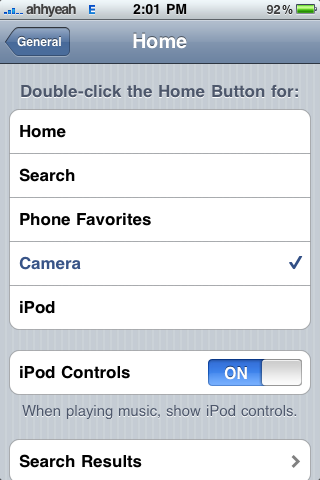
Another feature that involves the camera is the home settings in your Settings app. You can now set the double tapping of the home button to open the camera app. This is nice when you want to take a picture real quick. Now you can get to it fast from anywhere. I’m still not sure why Apple doesn’t give you the choice of any app here, but more is always better.
Screenshots :


Firmware 3.0 Preview: Calendar

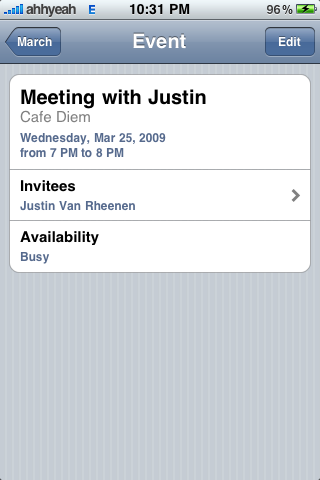
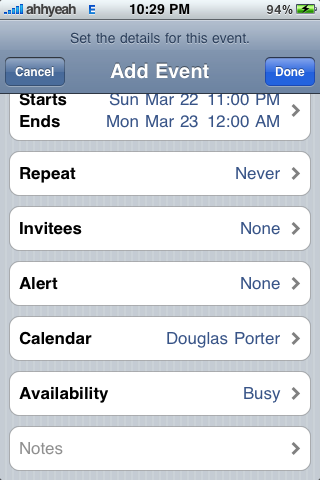
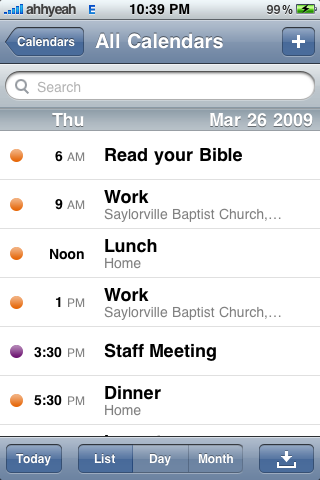
The Calendar application for firmware 3.0 didn’t have a lot of changes but there are some pretty important ones. Starting with the ability to add Invitees to your event. Just tap it and it lets you pick from your contact list. Next is Availability. This shows if you are busy, free, tentative or out of office. These two little feature make Calendar a little nicer, but there’s one more. A pretty big feature is the ability to search. At the top of “list view” there is a search box. Just start typing and it will show you results. This is all very useful to those of you using your iPhone for business. Overall the app stayed pretty much the same with some new features.

Screenshots :

Firmware 3.0 Battery Percentage in Status Bar, Data Detectors, Safari

This is all kewl but what caught my attention was the battery percentage looked different. I used to be able to tap on my battery and it would switch to numbers, just numbers. Now it’s to the left of the battery and there all the time. It also has a percent sign(%) next to it and when it drops to 20% or lower, the text turns red. I thought maybe this was a developer feature when beta testing firmware but I had never heard of it before and wasn’t hearing anyone else talk about it with current firmware.
Another feature is in Safari. After closing all pages but your current page, you can now tap the red X on the last page to get a blank page. This is a nice feature but of course the best is the ability to close all tabs at once. I hear this is a new feature to come
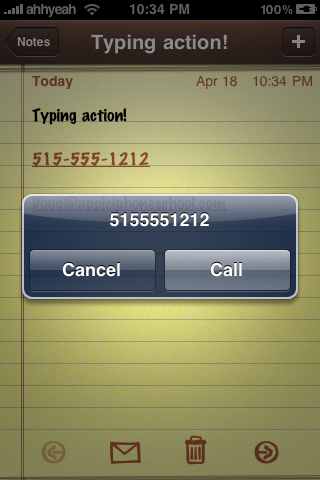
Finally, data detectors are the ability for the iPhone to detect things like phone numbers and email address with in text in apps. Once detected you can click them to launch the phone app or email.
Screenshots :


Firmware 3.0 Preview: Messages

One of the biggest changes to firmware 3.0 is the app name change from
“Text” to “Messages”. The icon was also changed, now with
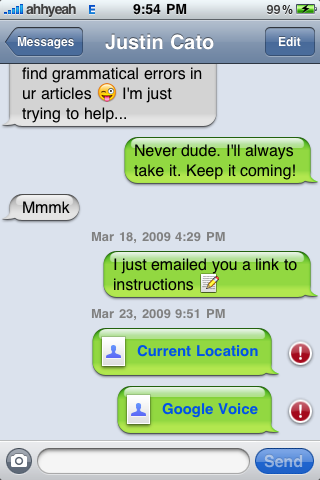
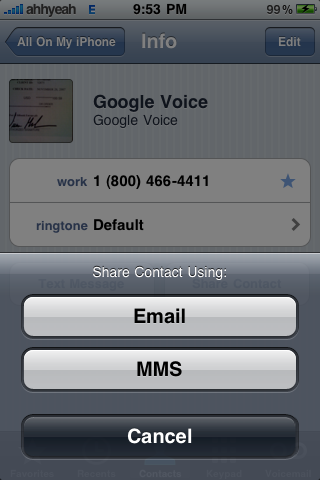
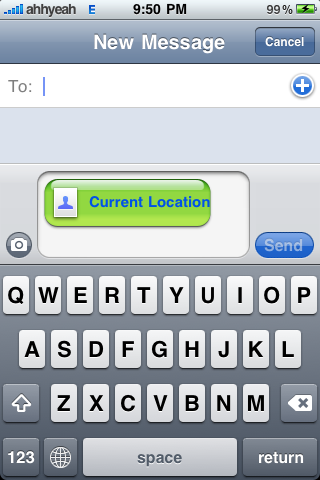
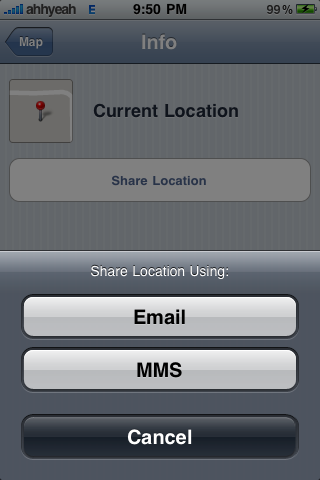
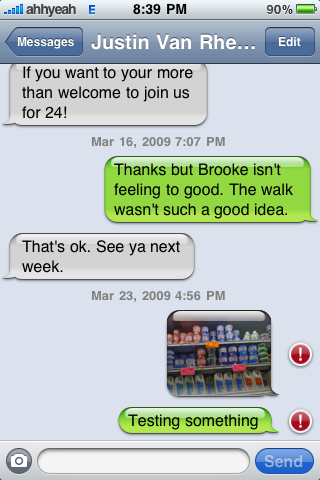
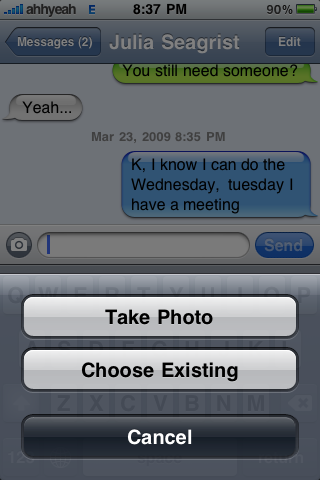
a blank chat bubble where before it had the letters SMS. Of course SMS stands for Short Message Service, which is only texting, but now Messages send pictures, contacts & current location. The
icon, along with a few others like the Phone and iPod i
cons, have a new style shading to them.
Once open, the top of the app now says “Messages” instead of “Text Messages”. Otherwise there’s not much different on the main menu listing all of your messages
. When creating a new text message you’ll notice a new little icon to th
e left of where you type that lets you add a picture. You can take a new one or use one from your camera roll. You’ll also see the sending progress bar has been mo
ved to the top, only visible when sending, replacing the name at the top. In the top right there is an
edi
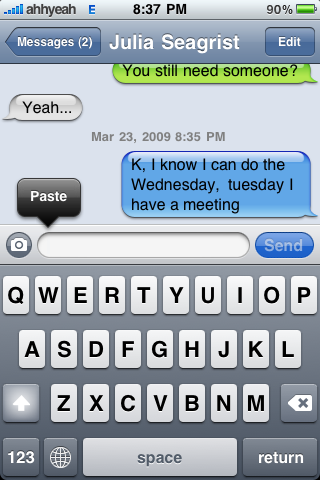
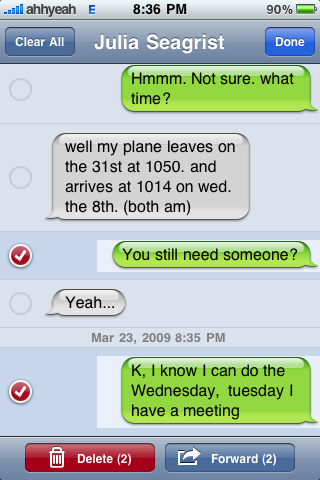
t button. This lets you forward messages or delete individual or multiple messages. Of course, you can also copy text messages and paste in this app.
Screenshots :


 iPhone © 2012 | Designed by LogosDatabase.com, in collaboration with Credit Card Machines, Corporate Headquarters and Motivational Quotes